REVIEWS

Production & Creative Technology Reviews

Hands-on reviews of the tools we use for audio, video, computers and creative production.

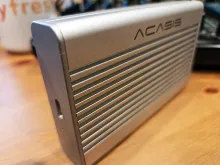
TrueNAS Long-Term Review: The Boot Drive Failed, but the Files Kept Coming

We wanted a place to put our data and get on with everything else. TrueNAS had settled into that job so well that when something finally broke, we almost talked ourselves out of noticing.

Our records show it serving our home and media shares by October 12, 2025, more than a year before this recovery. That's a documented stretch of real use, not the original installation date or a claim of perfect uptime. By the time this happened, it was part of the furniture.

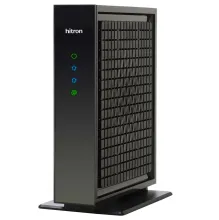
Hitron CODA56 Cable Internet Modem Review: Finally Getting What We Pay for from Xfinity

We started getting notices from Xfinity that our old cable modem was no longer supported, even though it was on their recommended list just a few years ago as a DOCSIS 3.1 modem. Apparently, Xfinity has made some changes to its network and how it handles faster upload speeds, so a new modem was necessary.

Our Motorola MB8611 had served us well for about five years. It was reliable, supported multi-gigabit downloads, and there was nothing obviously wrong with it. But Xfinity's newer network requirements meant it was time for an upgrade.

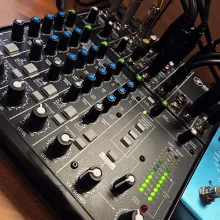
Mackie 802VLZ4 Review

We love this little mixer.

Mackie mixers are ubiquitous in post-production and edit suites. You see them everywhere. Usually, it’s a 1202 or 1402. Well, we recently had a 1402 go scratchy on us, with one of the channels going out and the overall sound of the mixer just sounding “not right.”

The Dual-Boot We Didn't Do

We wanted our hands to stay on the home row. That is the job.

We are terminal people who got lazy with a mouse. KDE is where that laziness became a daily driver. Before that it was ed, then vi, then the years when a remote machine meant Gopher, a newsroom, telnet, and later SSH. Shortcuts. Hands barely leaving the row. Point and click is slow. We knew. We kept not fixing it.

Yamaha MG12X Review: Good Mixer, But We're Sticking With Mackie

We've used Mackie mixers in our edit suites pretty much exclusively for many years. The Mackies have the ideal routing flexibility for post, they sound neutral, and they have a nice punch to the sound. Paired with Genelecs, it's a hard combo to beat.

Recently, we had a 1402VLZ4 develop some distortion and scratchiness on a stereo channel that we use for playback. We thought it might finally be time to try one of Yamaha's MG series mixers.

Plugable Thunderbolt 5 Dock Review: One Cable to Connect Everything

With fewer and fewer ports on laptops these days, there's been renewed interest in docks that feature the latest ports and provide a one-cable connection to power and use all the accessories we need.

For creators, that makes a lot of sense.

The Plugable TBT-UDH2 Thunderbolt 5 Dock works particularly well with the MacBook Pro line, including M4 and M5 machines equipped with Thunderbolt 4 or Thunderbolt 5. And for creators who regularly move between a home edit suite and working on the road, a good dock provides tremendous convenience.

Handy Push-to-Talk Dictation Review

We didn't go looking for a speech-to-text app. We went looking for a shorter path from a thought to the window we were already in.

That's the whole use case, and it matters more than the model, the GPU, or the feature list. Hold a key. Speak a prompt. Let go. Read what showed up. Fix the one word it got wrong. Hit Enter. Notes, a terminal, a chat with a coding agent — same loop. The dictation software is not supposed to know what any of those apps are. It is not supposed to press Enter for us. It is not supposed to send a syllable off the machine.

Xfinity Gstatic 204 Endless Activation Loop - How to Fix

If you've seen this page pop up when installing your new cable modem, you can get stuck in an endless loop of frustration.

The Comcast/Xfinity walled garden, gstatic 204, captive portal, endless loop, signup redirect, certificate error—or whatever else you want to call this mess—is a real pain. This scenario applies especially to anyone who owns their own equipment, typically a cable modem and separate router. For example, you may have a Motorola cable modem and a TP-Link wireless router. Basically, any combination of new or upgraded gear can trigger the problem.